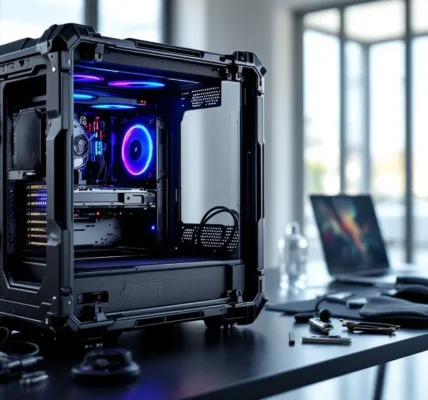

The best gaming setups aren’t about cramming every RGB strip and peripheral onto your desk. They’re about intentional choices that clear the clutter, both physical and mental, so you can focus on what actually matters: performance.
Minimalist gaming setups have surged in popularity over the past two years, and it’s not just about aesthetics. Streamers, competitive players, and casual gamers alike are discovering that fewer distractions, cleaner cable management, and thoughtful hardware choices lead to better focus, less stress, and surprisingly, improved play. Whether you’re working with a cramped apartment corner or a dedicated gaming room, the principles remain the same: keep what serves you, eliminate what doesn’t.
This guide breaks down exactly how to build a minimalist gaming setup in 2026, from choosing the right hardware and furniture to nailing cable management and lighting. No filler, no fluff. Just actionable advice to create a space that looks sharp and performs even sharper.
Key Takeaways
- A minimalist gaming setup reduces visual clutter and cognitive load, directly improving focus, reaction time, and gaming performance by eliminating distractions.
- Wireless peripherals, single high-quality monitors (27-inch 1440p), and compact PC builds or consoles form the hardware foundation of functional minimalist setups.
- Quality over quantity applies to every element: one excellent mechanical keyboard, a single clean-line desk, and an ergonomic office chair outperform multiple mediocre alternatives.
- Effective cable management using sleeves, Velcro ties, under-desk trays, and hidden power strips is essential for achieving the polished aesthetic that defines minimalist gaming design.
- Monochromatic color schemes (black, white, or grayscale) with minimal accent colors create visual cohesion and prevent the clutter that undermines minimalist principles.
- Budget-friendly minimalist setups are entirely achievable through DIY solutions, IKEA combinations, and affordable gear that prioritizes functionality over premium branding.
What Is a Minimalist Gaming Setup?
A minimalist gaming setup strips away unnecessary gear, decorations, and visual noise to create a clean, functional space centered on performance. It’s not about deprivation, it’s about intentionality. Every piece of hardware, every cable, every element has a purpose.
The core idea is simple: reduce decision fatigue and environmental distractions so your brain can focus on the game. That means no tangled cables snaking across your desk, no unused peripherals collecting dust, and no RGB vomit competing for your attention during clutch moments.
Core Principles of Minimalist Gaming Design
Minimalist gaming design follows three foundational principles: functionality first, visual clarity, and quality over quantity.
Functionality first means every item in your setup must serve a clear purpose. If that second monitor isn’t actively improving your workflow or gaming experience, it’s just taking up space. Visual clarity focuses on clean lines, hidden cables, and restrained color palettes that don’t overwhelm your peripheral vision. Quality over quantity is straightforward, one excellent mechanical keyboard beats three mediocre ones cluttering your drawer.
These principles apply whether you’re building a compact setup in a studio apartment or designing a dedicated gaming room. The goal is the same: create an environment where nothing competes with your focus.
Why Gamers Are Embracing Minimalism
The shift toward minimalism in gaming spaces isn’t just a trend, it’s a response to performance demands and lifestyle changes. Competitive players discovered early that visual clutter directly impacts reaction time and decision-making. When your desk looks like a Best Buy stockroom, your brain wastes processing power on environmental noise instead of tracking enemy positions.
Streamers are another driving force. A clean, minimalist background looks professional on camera and keeps viewer focus on the content, not the mess. Plus, as gaming PCs have become more powerful and compact, the need for massive tower cases and sprawling hardware has diminished.
There’s also the practical angle: smaller living spaces in urban areas and the rise of remote work mean many gamers are sharing their gaming desk with their work desk. A minimalist approach lets the space serve both functions without feeling cramped or chaotic.
Benefits of Going Minimalist with Your Gaming Space
Minimalism delivers tangible improvements beyond just looking good on Instagram. The benefits range from measurable performance gains to long-term cost savings.
Improved Focus and Performance
Visual clutter is a cognitive load. Studies on workspace organization consistently show that cluttered environments increase cortisol levels and reduce task performance. For gamers, this translates directly to slower reaction times and decreased situational awareness.
A clean desk with only your monitor, keyboard, mouse, and headset means fewer objects competing for your attention during intense matches. Your peripheral vision stays clear, making it easier to spot movement on screen edges. Audio setups benefit too, fewer surfaces mean less sound reflection and clearer directional audio cues.
Competitive players have caught on. Many pro player setups feature remarkably sparse desks, often just a single monitor and wireless peripherals. There’s a reason for that: in high-stakes matches, every millisecond of processing speed matters, and your brain processes clean spaces faster than cluttered ones.
Enhanced Aesthetics and Room Flow
A minimalist gaming setup elevates your entire room’s aesthetic. Clean lines, cohesive color schemes, and hidden cables create a space that feels intentional rather than accidental. This matters whether you’re streaming, hosting friends, or just wanting a space that doesn’t stress you out when you walk in.
Room flow improves dramatically when you’re not navigating around towers of old game cases, tangled controller cables, and dusty peripherals. The space feels larger, more breathable, and more adult, important if your gaming room also functions as a home office or bedroom.
The aesthetic benefits compound over time. A well-designed minimalist setup ages better than cluttered spaces because there are fewer elements to fall out of style or look dated.
Easier Maintenance and Cable Management
Fewer components mean less to clean, less to troubleshoot, and dramatically easier cable management. When you’re running three cables instead of fifteen, organizing them becomes trivial rather than overwhelming.
Dust accumulation drops significantly in minimalist setups. With fewer surfaces and objects, there’s simply less area for dust to settle. This improves hardware longevity, PC components run cooler with better airflow, and mechanical keyboards last longer when they’re not buried under debris.
Troubleshooting becomes faster too. When a connection issue crops up, you’re checking three cables, not untangling a rat’s nest to find the faulty HDMI. This saves time and frustration, especially during those pre-raid tech emergencies.
Essential Hardware for a Minimalist Gaming Setup
Hardware selection makes or breaks a minimalist setup. The goal is maximum capability in minimum footprint, with thoughtful choices that eliminate redundancy.
Choosing the Right Monitor: Size and Functionality Balance
Single-monitor setups are the minimalist gold standard. One high-quality display beats a triple-monitor array for most gamers. The sweet spot in 2026 is a 27-inch 1440p display with 144Hz or higher refresh rate. This size offers excellent pixel density without dominating your desk, and the resolution balances visual fidelity with GPU performance demands.
For competitive FPS players, 24-inch 1080p monitors at 240Hz or 360Hz remain viable. The smaller size keeps the entire screen within your natural field of view, reducing eye movement during fast-paced matches. But, many gaming monitor reviews now favor 27-inch 1440p as the versatile all-rounder.
Ultrawide monitors (21:9 or 32:9 aspect ratios) tempt minimalists with their single-screen real estate, but they come with trade-offs. The extra width demands more desk depth for proper viewing distance, and competitive games often don’t support ultrawide resolutions or restrict FOV advantages. For single-player and productivity-focused setups, though, a 34-inch ultrawide at 3440×1440 delivers immersive gaming and multitasking in one package.
Avoid monitor arms that add bulk. Modern monitors with thin bezels and adjustable stands work fine directly on the desk if you choose wisely. If you do use an arm, go for single-monitor gas spring models that clamp underneath the desk, keeping the mechanism invisible.
Compact PC Builds vs. Console Solutions
The PC versus console debate takes on new dimensions in minimalist setups. Consoles inherently fit minimalism better: a PlayStation 5 or Xbox Series X occupies less space than most gaming PCs, runs silently, and requires minimal cable management. For gamers who don’t need cutting-edge framerates or modding capabilities, current-gen consoles deliver excellent performance in a compact, clean package.
PC gamers have solid options too. Mini-ITX builds in cases like the NZXT H1 or Lian Li A4-H2O pack full gaming performance into footprints under 20 liters. Modern GPUs like the RTX 4070 and AMD RX 7800 XT deliver high-refresh 1440p gaming in compact dual-slot designs. Pair with an SFX power supply and low-profile CPU cooler, and you’ve got a rig that sits comfortably on or under your desk without dominating the space.
All-in-one liquid cooling systems or tower air coolers like the Noctua NH-L9 keep thermals in check while maintaining clean internal aesthetics. Skip the tempered glass side panels with RGB fans, solid panels or mesh fronts in neutral colors blend better with minimalist environments.
Laptops offer the ultimate minimalism: a single device for gaming and work. The 2026 generation of gaming laptops with RTX 4060 or higher can handle AAA titles at 1080p high settings while maintaining slim profiles. When paired with an external monitor, keyboard, and mouse, they create a flexible setup that disappears when not in use.
Wireless Peripherals: Keyboard, Mouse, and Headset
Wireless peripherals are non-negotiable for true minimalism. Modern wireless tech has eliminated the latency concerns that plagued earlier generations.
Wireless mechanical keyboards like the Keychron K8 Pro, Logitech G915, or custom 75% builds offer the tactile response gamers need without the cable. Stick to 75% or tenkeyless (TKL) layouts, full-size keyboards waste desk space with numpads most gamers rarely use. Hot-swappable switches let you customize feel without buying multiple boards.
Wireless gaming mice have reached parity with wired options. The Logitech G Pro X Superlight, Razer Viper V3 Pro, and Lamzu Atlantis deliver sub-1ms response times and week-long battery life. Charging docks that double as mouse pads (like Logitech’s Powerplay) keep batteries topped off without adding visible cables.
Wireless headsets complete the cable-free experience. SteelSeries Arctis Nova Pro Wireless and HyperX Cloud Alpha Wireless offer low-latency audio and 30+ hour battery life. For open-back enthusiasts, the Audeze Maxwell combines planar magnetic drivers with wireless convenience, though the premium price tag stings.
One charging station for all peripherals keeps things tidy. Multi-device wireless chargers or a small USB hub tucked under the desk handle charging duties invisibly.
Desk and Furniture Selection
Furniture sets the foundation for minimalist gaming. The right desk and chair disappear into the background while providing the functionality you need.
Clean-Line Desks That Maximize Space
Minimalist desks prioritize clean surfaces and simple geometry. Avoid gaming desks with built-in RGB, cup holders, and cable management hooks jutting everywhere, they’re visual clutter disguised as features.
Ideal dimensions for a single-monitor setup: 48-60 inches wide by 24-30 inches deep. This provides enough room for your monitor, keyboard, and mouse with breathing room, without overwhelming smaller rooms. Depth matters more than width, you need space to position your monitor at proper viewing distance (about arm’s length).
Standing desk frames with simple wooden or laminate tops hit the sweet spot. Brands like Uplift, Flexispot, and Fully offer adjustable-height frames that pair with clean butcher block or solid-color laminate tops. The adjustability adds function without adding visual noise, and cable management is easier since you can access under-desk space by raising the surface.
For budget-conscious builds, IKEA’s Karlby countertop on Alex drawers or simple table legs remains a proven combination. The look is clean, customizable, and significantly cheaper than dedicated gaming desks. Skip the drawer units if you don’t need the storage, simple hairpin or steel legs create even more visual lightness.
Avoid desks with:
- Built-in monitor shelves or risers (they limit flexibility)
- Excessive branding or gaming aesthetics
- Glossy finishes that show every fingerprint and reflection
- Complicated cable management systems that require threading cables through specific holes
Matte finishes in black, white, walnut, or gray blend with any color scheme and hide wear better than glossy alternatives.
Ergonomic Seating Without Visual Clutter
Gaming chairs with racing stripes and giant logos violate minimalist principles. Fortunately, ergonomic office chairs from Steelcase, Herman Miller, and Secretlab’s more subtle models offer superior comfort without the visual assault.
The Herman Miller Aeron and Steelcase Gesture are minimalist icons, clean profiles, neutral colors, and ergonomics that support marathon sessions. They’re expensive, but the used market offers significant savings. The Secretlab Titan Evo in all-black or charcoal provides gaming-focused ergonomics with restrained aesthetics, though still bulkier than office chairs.
Budget alternatives include the IKEA Markus or Autonomous ErgoChair Pro. Stick to all-black or all-gray colorways. The goal is a chair that blends into the background while supporting your spine, not one that screams “gamer” from across the room.
Avoid:
- Racing-style seats with contrasting stitching or bright accent colors
- Excessive padding that makes chairs look bulky
- Chairs with built-in RGB (yes, these exist)
If you already own a gaming chair that’s comfortable but visually loud, consider a neutral slipcover to tone down the aesthetic until you upgrade.
Cable Management Strategies for Clean Aesthetics
Cable management separates amateur setups from polished minimalist spaces. Even the best hardware looks chaotic with visible cable spaghetti.
Concealment Solutions: Raceways, Clips, and Sleeves
Cable sleeves bundle multiple cables into a single clean line. Neoprene or fabric sleeves come in neutral colors and expand to accommodate varying cable counts. Run power cables, monitor cables, and peripheral cables through one sleeve from your desk to the power strip or PC.
Velcro cable ties beat zip ties for adjustability. You’ll add and remove cables over time, zip ties require cutting, while Velcro straps reopen easily. Color-match them to your cables or desk for invisibility.
Cable clips attach to desk edges or walls, routing cables along predetermined paths. The Command Brand adhesive cable clips work on most surfaces without permanent mounting. Run cables along desk legs or behind monitors in organized paths rather than letting them drape freely.
Cable raceways mount to walls or desk undersides, creating enclosed channels for cables. J-channel raceways in white or black blend with walls and can be painted to match. These work exceptionally well for running cables from floor-level power strips up to desk height along walls.
For desk-mounted power strips, attach them to the underside of your desk using mounting tape or screws. This hides the power strip from view while keeping outlets accessible. The Ikea Signum cable management rack mounts under any desk and holds power strips plus excess cable slack.
Under-Desk and Wall-Mounted Cable Management
The real magic happens underneath your desk where no one looks. Cable trays that mount to the underside create highways for cable runs. Metal wire trays or plastic channels keep cables organized and off the floor.
Route cables with intention:
- Power cables run together from the PC/console to the power strip
- Data cables (HDMI, DisplayPort, USB) run separately to avoid potential interference
- Peripheral charging cables stay coiled with excess length secured by Velcro ties
Wall-mounted solutions work when your desk sits against a wall. Mount your power strip directly to the wall behind your desk at mid-height. Cables run down the wall inside a raceway, then horizontally along the baseboard if needed. This completely eliminates floor-level cable visibility.
For wireless setups, you’re down to just two cables typically: monitor power and monitor data (unless using a laptop). This simplifies management dramatically, another reason wireless peripherals matter.
Pro tip: Take photos during cable management so you remember routing paths when you inevitably need to troubleshoot or upgrade. Comprehensive gaming setup tutorials often include cable management walkthroughs with visual guides for different desk configurations.
Lighting and Ambiance in Minimalist Gaming Rooms
Lighting shapes the entire mood of a gaming space. Minimalist lighting focuses on function and subtlety, not rainbow vomit.
Subtle RGB vs. Neutral Lighting Options
RGB isn’t inherently anti-minimalist, it’s about restraint. A single-color bias lighting behind your monitor reduces eye strain without visual chaos. Philips Hue light strips or Govee Immersion kits in static white, soft blue, or warm amber create ambient glow that enhances focus rather than distracting from it.
Set RGB to match your room’s color temperature (typically 2700K-3000K warm white for evening gaming, 4000K-5000K neutral white for daytime) and disable cycling rainbow effects. The goal is consistent, subtle illumination.
Desk lamps with adjustable color temperature serve dual purposes: task lighting for non-gaming work and ambient light during play. The BenQ ScreenBar mounts directly to your monitor, illuminating your desk without screen glare. Its minimal profile adds function without cluttering your space.
Ceiling-mounted smart bulbs controlled via app let you adjust room lighting without visible switches or remotes. Dim warm lighting during gaming sessions reduces eye fatigue and creates immersive atmosphere without dedicated gaming lights.
Avoid:
- Neon signs with gaming slogans or logos
- Multiple RGB strips creating competing light sources
- Colored lighting that reflects off your monitor screen
- Floor lamps in traffic paths that clutter room flow
Natural Light Integration and Window Treatments
Natural light is the ultimate minimalist lighting source, free, mood-boosting, and zero visual clutter. Position your desk perpendicular to windows when possible to avoid glare on your monitor while maximizing ambient daylight.
Window treatments matter. Blackout curtains or cellular shades in neutral colors control light levels for glare reduction and daytime streaming without adding visual noise. Avoid heavy drapes with patterns or valances that compete for attention.
For rooms with limited natural light, full-spectrum LED panels mounted on walls or ceilings simulate daylight’s benefits. These work well for basement or interior room setups where windows aren’t an option.
Balance artificial and natural light by using smart lighting that adjusts color temperature throughout the day, cooler tones (5000K+) during daylight hours, warmer tones (2700K-3000K) in evening. This matches your circadian rhythm and reduces the jarring transition from day to night gaming.
Storage and Organization Solutions
Minimalism doesn’t mean owning nothing, it means organizing what you own so it stays out of sight. Effective storage keeps essentials accessible without visible clutter.
Hidden Storage for Controllers and Accessories
Desk drawers remain the simplest solution. A single drawer holds controllers, charging cables, game cases, and peripherals you swap in occasionally. Cable organizer inserts or small bins within drawers prevent the junk-drawer effect where everything tangles together.
For desks without drawers, under-desk storage solutions work well. Small storage boxes or baskets that mount to the underside of your desk via brackets or adhesive hold controllers, cables, and small accessories. Keep them shallow to avoid knee collisions.
Headset stands double as cable management if you choose wired headsets, but for wireless setups, skip the stand and use desk drawer storage when not in use. Every item on your desk surface is visual noise.
Console-specific storage: PS5 and Xbox controller charging docks that match your console’s aesthetic can sit on a shelf or in a drawer. Only keep them on the desk surface if you switch controllers frequently during sessions. Otherwise, charge overnight in a drawer or shelf location.
Floating shelves above or beside your desk hold items you want accessible but not on your desktop. A single shelf with a speaker, small plant, or collectible adds personality without cluttering your primary workspace. Limit shelf contents to 3-5 items maximum.
Vertical Space Utilization
Walls are underutilized in most gaming setups. Wall-mounted monitor arms free up desk space, though they add mechanical bulk. Evaluate whether the desktop space gained outweighs the visual addition.
Pegboards in neutral colors organize peripherals, headsets, and cables on the wall beside your desk. IKEA’s Skadis system offers minimalist pegboard solutions with coordinating accessories. Keep pegboard contents curated, five items maximum or it becomes cluttered.
Vertical PC mounting under the desk with specialized brackets elevates tower PCs off the floor, improving airflow while freeing floor space. Ensure the mount supports your case’s weight (check specs, some gaming PCs exceed 40 pounds).
Shelf systems above desks work for games, collectibles, and books, but apply strict curation. One shelf with 10-15 neatly arranged items beats three shelves crammed with clutter. Negative space on shelves is intentional, not wasted.
Color Schemes and Material Choices
Color and material selection unifies a minimalist gaming setup. Cohesive choices create visual calm: random selections create chaos.
Monochromatic Palettes for Cohesion
All-black setups dominate minimalist gaming for good reason: black hides imperfections, matches most hardware, and creates a sleek, serious aesthetic. Black desk, black monitor, black peripherals, black PC case. Add texture through matte versus glossy finishes to avoid flatness.
All-white setups feel cleaner and more spacious but show dust and wear more visibly. White requires discipline in maintenance but photographs beautifully for content creators. White also reflects more light, making smaller rooms feel larger.
Grayscale gradients mixing black, white, and gray tones add depth while maintaining monochromatic restraint. A white desk with black peripherals and gray walls creates subtle visual interest without breaking cohesion.
Accent colors should be minimal and intentional. A single plant’s green, a wooden desk’s warm brown, or subtle blue bias lighting adds warmth without disrupting the palette. Limit accent colors to one or two, and keep them consistent across the space.
Avoid:
- Mixing metal finishes (all silver or all black, not both)
- Random RGB keyboard backlighting in rainbow mode
- Monitor bezels that contrast sharply with your color scheme
- Mismatched wood tones if using multiple wooden elements
Natural Materials: Wood, Metal, and Glass
Wood tones add warmth to otherwise stark setups. Walnut, oak, or bamboo desktop surfaces soften all-black peripheral setups. The texture and grain of natural wood introduce organic variation that prevents sterile, cold feelings in monochromatic spaces.
Metal accents through desk legs, monitor arms, or PC cases add industrial minimalism. Powder-coated steel in matte black or brushed aluminum creates clean lines and durability. Avoid chrome or shiny metal finishes, they’re too reflective and attention-grabbing for minimalist goals.
Glass desktops create visual lightness since they’re partially transparent, but they show every fingerprint and require constant cleaning. Tempered glass with a matte or frosted finish compromises between transparency and practicality. Most gamers find solid surfaces more practical.
Fabric elements through your chair upholstery or desk mat should be neutral. Black, gray, or charcoal fabric in your chair: a simple black desk mat for your keyboard and mouse. Extended mouse pads in solid colors unify the desk surface while protecting it and providing consistent glide.
Texture variation prevents visual monotony. A matte black PC case next to a glossy black monitor next to a fabric-textured black desk mat creates depth through finish variety while maintaining color cohesion.
Budget-Friendly Minimalist Gaming Setup Ideas
Minimalism often costs less than cluttered setups, you’re buying fewer, better items. But smart choices can minimize costs further.
Affordable Gear Recommendations
Hardware that punches above its price class:
Monitors: AOC 24G2 (24″ 1080p 144Hz IPS, ~$180) or Gigabyte M27Q (27″ 1440p 170Hz, ~$280) deliver excellent gaming performance in clean designs without premium pricing.
Keyboards: Keychron C2 (~$50 wired, $70 wireless) or Royal Kludge RK84 (~$60) offer mechanical switches and minimalist aesthetics at budget prices. Redragon K552 (~$40) goes even cheaper with decent build quality.
Mice: Logitech G305 (~$50 wireless) or Razer Viper Mini (~$30 wired) provide excellent sensors and clean designs. The G305 particularly offers flagship wireless performance at mid-tier pricing.
Headsets: HyperX Cloud Stinger (~$50 wired) or SteelSeries Arctis 3 (~$60) deliver solid audio without the “gamer” aesthetic of pricier models.
Desks: IKEA Lagkapten/Alex combo (~$150) or DIY butcher block on basic legs (~$100-150) create clean surfaces without standing desk costs. Trestle desks from Target or IKEA start under $100 and offer minimalist simplicity.
Chairs: Used Herman Miller Aeron chairs appear on Craigslist and Facebook Marketplace for $300-500, half the retail price. IKEA Markus (~$200 new) or Staples Hyken (~$150) provide solid ergonomics at entry-level pricing.
Cable management: Dollar store Velcro straps, zip ties, and adhesive clips cost under $10 total. Command Brand hooks and cable organizers run ~$15 for a full set. Skip premium cable management systems, basic solutions work identically.
DIY Solutions for a Polished Look
Custom desk builds save money while achieving exact dimensions for your space. A solid-core door or butcher block countertop on IKEA Adils legs creates a massive desk surface for under $100. Sand and stain the top for a custom look, or leave wood natural for Scandinavian minimalism.
DIY monitor light bars using LED strip lights and 3D-printed or cardboard mounts cost $15-20 versus $100+ for commercial ScreenBar alternatives. Plenty of open-source 3D print files exist online, or improvise with basic materials.
Cable sleeve alternatives: Black fabric sleeves from any fabric store can be sewn or safety-pinned around cable bundles for a fraction of commercial cable sleeve costs. Cut to exact lengths needed and seal edges with fabric glue.
Spray paint transforms mismatched gear into cohesive setups. Matte black or white spray paint applied to old monitor bezels, desk lamp bases, or PC case exteriors unifies aesthetics for $5-10 per can. Plastidip works well for items you might want to reverse later.
Pegboard from hardware stores costs $15-25 for a 2’x4′ sheet versus $30-50 for IKEA Skadis. Cut to size, paint to match your wall color, and use basic hooks from the hardware store for the same functionality.
Sound dampening using foam panels or even heavy curtains improves audio quality for streaming and gaming. DIY acoustic panels made from fiberglass insulation wrapped in fabric cost $10-15 each versus $50-100 for commercial panels. Mount on walls behind your setup to reduce echo and improve mic quality.
Common Mistakes to Avoid
Even experienced gamers stumble when building minimalist setups. These mistakes undermine the aesthetic and function you’re working toward.
Over-minimizing essentials: Minimalism means eliminating clutter, not comfort. Skipping a mouse pad to save desk space, removing your second monitor when you genuinely use it for Discord or guides, or choosing an uncomfortable chair because it looks sleeker, these sacrifice function for form. Minimalism should enhance your gaming experience, not hamper it.
Ignoring ergonomics for aesthetics: A beautiful setup that ruins your posture or causes eye strain isn’t worth it. Monitor height, chair support, and desk depth matter more than whether your setup photographs well. Position your monitor’s top edge at or slightly below eye level, keep your keyboard and mouse at elbow height, and ensure your chair supports your lumbar spine. No aesthetic is worth chronic pain.
Visible cable management attempts: Sometimes cable management solutions create more visual clutter than the cables themselves. Excessive clips, bright-colored cable sleeves, or bulky raceways can dominate a setup’s aesthetic. If your cable management is visible, it needs to be as minimal as the rest of your setup, neutral colors, slim profiles, or complete concealment.
Forcing a color scheme that doesn’t fit your hardware: If you own a bright red gaming chair and neon green peripherals, going minimalist means replacing those items or accepting they don’t fit the aesthetic, not trying to “make it work” with mismatched accent colors. Half-commitments to minimalism look worse than honestly non-minimalist setups.
Neglecting storage planning: Minimalist doesn’t mean “nowhere to put things.” Without adequate hidden storage, clutter migrates to your desk surface or floor. Plan storage before clearing your desk, or you’ll end up with piles of controllers and cables with nowhere to go.
Buying “minimalist” gear that’s actually just featureless: Cheap peripherals marketed as minimalist often lack essential features. A minimalist keyboard without anti-ghosting or N-key rollover, a minimalist mouse with a subpar sensor, or a minimalist desk too shallow for proper monitor distance, these are failures disguised as style. Minimalism means thoughtful reduction, not cutting corners.
Overdoing the neutral palette: All-white or all-black setups can feel sterile and uninviting. Small touches of warmth, a wood desk, a green plant, warm-toned lighting, prevent your gaming space from feeling like a showroom. You’re building a space to spend hours in, not a museum exhibit.
Not planning for upgrades: Sealed cable sleeves, permanent raceway mounting, and custom-fit solutions look great until you upgrade your GPU or swap monitors. Build flexibility into your cable management and furniture choices so upgrades don’t require complete teardowns.
Conclusion
Building a minimalist gaming setup is about making intentional choices that enhance your gaming experience rather than complicate it. Every cable hidden, every unnecessary peripheral removed, every clean line achieved contributes to a space where you can focus on what matters: the game.
The path forward is straightforward: start with essentials, invest in quality over quantity, and ruthlessly eliminate what doesn’t serve a purpose. Whether you’re working with a $500 budget or $5,000, minimalist principles scale across price points. The all-white battlestation with custom hardline water cooling and the budget IKEA desk setup both succeed if they follow the same core philosophy: function first, visual clarity second, everything else optional.
Your setup will evolve. New hardware releases, changing game preferences, and shifting living situations will require adjustments. The beauty of minimalist design is its flexibility, fewer components mean easier adaptation. That’s the long-term payoff: a gaming space that grows with you instead of becoming a cluttered monument to past decisions.
Now clear that desk and get building.