
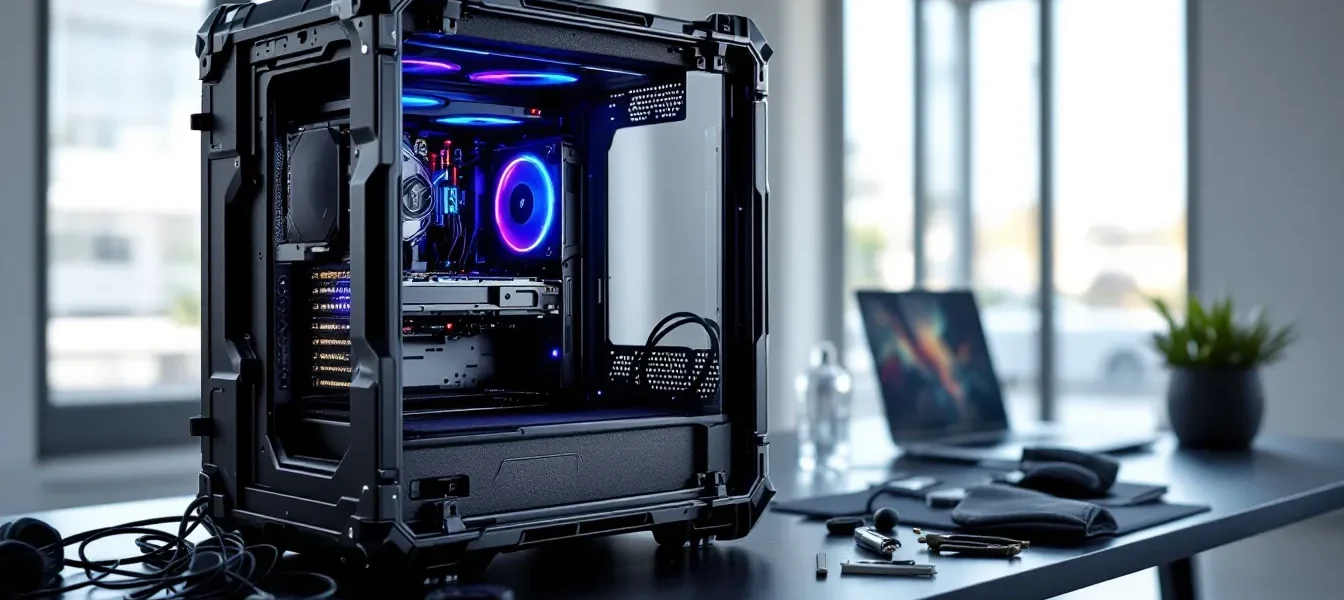
Moving a gaming PC isn’t like packing clothes or books. One bad bump can unseat your GPU, crack your motherboard, or send your AIO cooler tumbling into your RAM slots. Whether you’re heading to a LAN party across town, flying to a major esports tournament, or relocating for work, your rig needs more than bubble wrap and hope.
A dedicated gaming PC travel case isn’t just padding, it’s engineering designed around the unique vulnerabilities of high-performance hardware. With cases ranging from $50 backpack solutions to $400 military-grade shells, choosing the right one depends on your build size, travel frequency, and how much risk you’re willing to accept. This guide breaks down everything from case types and critical features to packing techniques and real-world transport scenarios, so your setup arrives ready to game, not ready for RMA.
Key Takeaways
- A gaming PC travel case prevents expensive component damage (GPU, motherboard, coolers) that often isn’t covered by warranty, making the $100–$300 investment worthwhile compared to potential $800–$1,600 repairs.
- Hard shell cases offer maximum protection for air travel and shipping, while soft padded cases provide better portability for car trips and local LAN events—choose based on your primary travel method.
- Always remove your GPU before traveling, as it’s held by a single PCIe slot and becomes a 4–5 pound wrecking ball during transport that can crack motherboards or solder joints.
- Mid-tower ATX builds fit most travel cases and offer the best balance between protection and portability, whereas full towers require expensive specialized solutions or component disassembly.
- Proper preparation—securing cables, confirming case orientation with motherboard parallel to the ground, and post-travel inspection before powering on—prevents 95% of transport-related damage.
- Mini-ITX and SFF builds unlock backpack transport flexibility and save $150–$300 on cases, making them ideal for gamers who travel more than six times per year.
Why You Need a Dedicated Gaming PC Travel Case
Protecting Your Investment During Transport
The average gaming PC in 2026 sits between $1,200 and $2,500, with high-end builds pushing past $4,000. That’s not counting peripherals, custom water cooling, or limited-edition components. A single drop or hard impact can crack PCIe slots, shatter tempered glass panels, or bend CPU cooler mounting brackets, damage that’s rarely covered under warranty since manufacturers classify transport incidents as user error.
Dedicated travel cases distribute impact force across reinforced surfaces instead of concentrating it on vulnerable points. They account for the specific geometry of PC cases, with cutouts and padding designed to protect corners, I/O panels, and glass side panels. Unlike generic containers, they’re built around the weight distribution of a fully-loaded tower, which can exceed 40 pounds with liquid cooling and multiple drives.
The cost difference is stark. A quality travel case runs $100-$300, while replacing a damaged RTX 5080 or broken motherboard can cost $800-$1,600. For anyone traveling more than once a year, the math is simple.
The Risks of Using Generic Luggage
Throwing your PC in a duffel bag or wrapping it in blankets might seem reasonable until you consider what happens during actual transport. Luggage gets dropped from waist height onto concrete. It gets compressed under other bags. It slides around truck beds and shifts in car trunks during hard braking.
Generic luggage fails gaming PCs in three specific ways. First, soft-sided bags don’t prevent compression damage, stack a couple suitcases on top, and you’re applying dozens of pounds of pressure directly to your case’s side panel or top-mounted radiator. Second, they lack internal structure to prevent component shift. Your GPU, which can weigh 3-5 pounds and is held by a single PCIe slot, becomes a pendulum during movement. Third, most luggage offers zero protection for glass panels, which shatter easily under point impacts.
Airline baggage handlers throw particular curveballs. Checked bags regularly experience 6-8G impacts during conveyor transfers. TSA inspections can require opening your case, and if it’s buried in a duffel, agents may not handle components carefully during screening. One Reddit user documented a 4090 that ripped clean out of its motherboard after a checked bag flight, the PCIe slot tore apart from repeated impacts while the card swung loose inside a padded suitcase.
Road travel isn’t much gentler. Temperature swings in car trunks can stress solder joints, and vibration over hundreds of miles can loosen mounting screws and shift heavy coolers. Without proper restraint, your tower will slide and tip with every turn and brake, concentrating force exactly where you don’t want it.
Types of Gaming PC Travel Cases Explained
Hard Shell Cases vs. Soft Padded Cases
Hard shell cases use rigid plastic or aluminum exteriors with foam interiors, functioning like oversized Pelican cases. They’re crush-proof, water-resistant, and offer maximum impact protection, think military transport specs. Models like the CaseLabs Mercury S8 or Monoprice Hard Shell PC Case can survive being thrown from a truck or stacked under 200+ pounds of gear. The tradeoff is weight (15-25 pounds empty) and bulk, making them ideal for air travel or commercial shipping but awkward for quick car trips.
Soft padded cases use dense foam layers inside reinforced fabric shells. They’re lighter (5-12 pounds), easier to store when not in use, and flexible enough to squeeze into tight spaces. Quality models from brands like ENHANCE or DACCKIT use 2-3 inch memory foam with reinforced corners and semi-rigid internal frames. They handle normal transport well, car trunks, careful carrying, checked luggage if you remove the GPU, but won’t survive being crushed or dropped from height.
The decision point: If you’re flying or shipping your PC, hard shell wins. If you’re driving to LANs or moving apartments, soft padded offers better portability without sacrificing protection for typical scenarios.
Full Tower vs. Mid Tower Travel Solutions
Full tower cases (EATX, 22-24 inches tall) need specialized solutions. Few travel cases accommodate anything over 23 inches in height, and those that do, like the Seahorse SE1220 or Pelican 1650, run $300-$500. Weight becomes a real problem here: a full tower build can hit 50-60 pounds, plus another 20 for the case itself. Airlines treat anything over 50 pounds as oversized baggage with $150-$200 surcharges each way.
For full towers, you’re often better off with custom foam inserts in a large equipment case or disassembling your build. Some builders ship their tower separately via freight and fly with components hand-carried, expensive, but sometimes the only practical option.
Mid tower cases (ATX, 18-20 inches tall) fit most dedicated PC travel cases. This is the sweet spot for portability. Models like the Lian Li O11 Dynamic or NZXT H7 Flow slot into cases designed specifically for standard ATX dimensions. You’ll find dozens of options between $80-$250 that handle mid towers comfortably with room for peripherals.
Measure your case before buying, manufacturers list external dimensions, but internal clearance matters more. A case rated for 21 inches might not fit a 20.5-inch tower with handles or cable protrusions.
Backpack-Style Cases for Compact Builds
Mini-ITX and SFF builds unlock backpack transport, which is a game-changer for LAN parties and frequent travel. The Mobile Edge Gaming Backpack and ASUS ROG Ranger BP3703 fit cases up to 15 liters (like the NZXT H1 or Cooler Master NR200) with dedicated compartments that isolate the tower from peripherals and accessories.
Backpack cases provide decent protection for short-distance transport, walking to a friend’s house, subway rides, quick car trips, but they’re not designed for checked luggage or long-haul vehicle transport. The main advantage is convenience: you can carry your entire setup (PC, monitor, keyboard, mouse) in two bags and stay mobile.
For SFF builds under 20 pounds, backpack cases make sense if you travel light and frequently. Many competitive players in games like Counter-Strike 2 or Valorant run mini-ITX builds specifically to enable backpack transport to local tournaments.
Key Features to Look for in a Gaming PC Travel Case
Shock Absorption and Impact Protection
The minimum acceptable padding is 2 inches of high-density foam on all six sides. Anything less won’t absorb enough energy from drops or impacts to protect internal components. Premium cases use multi-layer foam systems, firm outer layers to resist compression, softer inner layers to cushion against shock.
Look for corner reinforcement specifically. That’s where most impacts occur when cases get dropped or tipped. Hard shell models use metal or reinforced plastic corner guards: soft cases should have extra padding or semi-rigid inserts at corners.
Internal suspension systems separate your PC from the case walls, so impacts transfer to the case structure instead of directly to your hardware. The Seahorse SE920 uses adjustable straps that hold the tower in place while maintaining a 1-inch air gap on all sides. This design can reduce transmitted force by 60-70% compared to foam-only padding.
Don’t overlook lid/door protection. Many cases focus on sides and corners but use thin padding on access points. A hard impact to the lid can crush top-mounted fans, radiators, or RGB controllers.
Size Compatibility and Interior Dimensions
Manufacturers list compatibility, but you need to verify three measurements:
- Height with clearance: Add 2-3 inches to your case height to account for cable protrusions, handles, and feet
- Width including side panels: Tempered glass panels can add 0.5-1 inch to width specs
- Depth with front I/O: Front-mounted USB hubs and audio jacks extend beyond the case front
The Tom’s Hardware build database shows that 78% of mid-tower builds fall between 18-21 inches tall, 8-10 inches wide, and 16-19 inches deep, the standard dimensions most travel cases target.
Adjustable foam inserts solve compatibility problems. Cases like the Nanuk 945 include pick-and-pluck foam that you customize to your exact case dimensions. This adds setup time but guarantees a precise fit.
Weight capacity matters as much as size. A case rated for a 22-inch tower might not support the 45-pound weight of a liquid-cooled build with multiple drives. Check the manufacturer’s weight limit, and stay at least 10% under it for safety margin.
Portability: Wheels, Handles, and Weight
Empty case weight directly affects usability. A 25-pound hard shell case plus a 35-pound gaming PC creates a 60-pound package. That’s manageable with wheels, brutal without them.
Wheel types break down into three categories:
- Inline skate wheels (small, hard plastic): Smooth on flat surfaces, terrible on carpet or gravel
- Rubber wheels (medium-sized, treaded): All-purpose, handle most surfaces reasonably well
- Pneumatic wheels (large, air-filled): Best for outdoor use and rough terrain, but add weight and bulk
For mixed-surface travel, airport terminals, parking lots, convention center floors, rubber wheels in the 3-4 inch range offer the best compromise.
Handle design separates cheap cases from quality ones. Look for telescoping handles with multiple height positions (essential if you’re not average height), and reinforced handle bases that won’t crack under load. Side handles should be cushioned and positioned for two-person lifting on heavier cases.
Total system weight (case + PC) determines whether you can actually use it. If you’re checking it on a flight, 50 pounds is the hard limit before surcharges kick in. For car transport, anything over 70 pounds becomes difficult to load and unload solo.
Additional Storage for Peripherals and Accessories
A travel case that only fits your tower solves half the problem. You still need to pack your monitor, keyboard, mouse, mousepad, headset, cables, and possibly a surge protector.
Integrated accessory compartments inside the case save space and reduce the number of bags you’re managing. Look for:
- Mesh pockets for cables and small accessories (prevents tangles)
- Padded sleeves for keyboards and mice (protects against scratches)
- Velcro straps or elastic bands to secure power cables and peripherals
Some cases like the ENHANCE Gaming PC Case include external zippered compartments rated for laptops, useful for carrying a backup device or tablet for stream monitoring.
Weight distribution matters when you add peripherals. Loading all your accessories into one side pocket creates an unbalanced case that tips when rolled or carried. Spread weight evenly, with heavier items (power supply, external drives) positioned low and centered.
Top Gaming PC Travel Cases in 2026
Best Overall Travel Case for Gaming PCs
Seahorse SE920 Protective Case – $279
This hard shell case hits the sweet spot for most mid-tower builds. It accommodates cases up to 21 inches tall with 3-inch foam padding on all sides, includes heavy-duty inline wheels, and uses a pressure-release valve to prevent vacuum seal during air travel (which can make cases impossible to open).
Key specs:
- Interior dimensions: 21.5″ x 13″ x 10.5″
- Weight capacity: 60 pounds
- Case weight: 18.5 pounds
- IP67 water resistance rating
- TSA-approved locks
The suspension system uses adjustable cam straps that tension across your PC case, holding it firmly without requiring perfect foam fit. Multiple users report flying with this case 20+ times without damage. The main drawback is weight, pushing 60 pounds total when loaded, you’re right at airline limits.
Best Budget-Friendly Option
DACCKIT Gaming PC Carrying Case – $89
For builders on a budget who primarily drive to events, this soft padded case delivers surprising protection. It uses 2.5-inch dense foam with reinforced corners and a semi-rigid base plate that prevents sagging under weight.
Key specs:
- Fits cases up to 20″ x 9.5″ x 18″
- Weight capacity: 40 pounds
- Case weight: 6.2 pounds
- External accessory pocket fits full-size keyboard
- Padded shoulder strap included
It’s not designed for air travel or shipping, but for car transport and LAN parties, it does the job. Users note that the zipper quality could be better, some report zipper failures after 15-20 uses. At under $100, it’s acceptable for occasional transport.
Best Premium Hard Case for Maximum Protection
Pelican 1650 with Custom Foam – $429 (case) + $80 (foam)
If your build costs $4,000+ or you’re shipping your PC internationally, the Pelican 1650 is overkill that’s actually appropriate. This is the same case used for military equipment, film gear, and scientific instruments, it’s rated to survive being run over by a truck.
Key specs:
- Interior dimensions: 23.4″ x 16.6″ x 10.1″
- Weight capacity: 85 pounds
- Case weight: 28.9 pounds (with foam)
- Lifetime warranty
- Automatic pressure equalization
- IP67 rating (submersible to 1 meter for 30 minutes)
You’ll need to order custom-cut foam from a third party like Foam by Mail or CaseCruzer, since Pelican doesn’t make PC-specific inserts. Total setup cost approaches $500, and the empty case alone weighs nearly 30 pounds. But if you’re touring for esports or relocating internationally, it’s worth every dollar.
Best Backpack Case for LAN Parties
Mobile Edge Gaming Backpack – Pro Edition – $159
Designed specifically for mini-ITX builds, this backpack includes a reinforced compartment for cases up to 12″ x 12″ x 15″ (about 15-20 liters). It’s not padded enough for airline baggage or long-distance transport, but for local events and short trips, it’s unbeatable for convenience.
Key specs:
- SFF PC compartment: 12″ x 12″ x 15″
- Total capacity: 35 liters across all compartments
- Weight limit: 25 pounds
- Separate padded sleeve for 17″ laptop or portable monitor
- Multiple cable management pockets
- Chest and waist straps for weight distribution
The backpack design means you can carry your entire setup (mini-ITX PC, portable monitor, peripherals) while keeping your hands free. Multiple gamers using NR200 or FormD T1 builds report this as their go-to for weekly LAN nights and local tournaments.
How to Prepare Your Gaming PC for Travel
Removing or Securing Heavy Components
GPU removal is non-negotiable for any travel longer than a short car ride. High-end cards like the RTX 5090 or AMD 7900 XTX weigh 4-5 pounds and are held by a single PCIe slot plus 1-2 screws. During transport, that weight becomes a wrecking ball. Every bump flexes the PCIe slot, and enough flex cracks the solder joints or breaks the slot entirely.
Remove the GPU, wrap it in anti-static bubble wrap, and pack it separately in a padded compartment. Some builders use the GPU’s original box, which is ideal. Others use small hard cases like the Apache 2800 ($20 at Harbor Freight). Never leave the GPU installed for air travel or shipping.
Tower coolers taller than 5 inches should also come off. The Noctua NH-D15, Deepcool AK620, and similar designs weigh 2-3 pounds. That’s a lot of mass cantilevered off your CPU socket. One hard impact can crack the socket housing or damage the CPU pins/pads.
If you’re running an AIO liquid cooler, you’re in better shape, the pump block is light, and the radiator is screwed to the case. Just make sure the radiator mounting is tight.
Storage drives: M.2 drives are fine since they’re screwed flat to the motherboard. But if you have 3.5″ HDDs, consider removing them or at minimum verify that your drive cage uses secure mounting. HDDs have delicate read/write heads that can be damaged by shock during operation (which is why most PCs use SSDs now).
Cable Management and Internal Packing
Loose cables act like whips inside your case during transport. Secure everything with velcro straps or cable ties. Pay special attention to:
- 24-pin motherboard cable: Heavy and rigid, can put stress on the socket if allowed to swing
- PCIe power cables: If your GPU is removed, tuck these cables and secure them so they don’t flop into fan blades
- Front panel connectors: Small and delicate, easily damaged if they catch on something
Anti-static foam or bubble wrap can fill empty space inside your case, preventing component shift. If you removed your GPU, stuff foam in that space to stop other components from moving. Don’t over-pack, you need some air gap for foam compression to work.
Fan shrouds and RGB controllers are surprisingly fragile. If you have removable fan covers or magnetic RGB strips, consider removing them for transport. They’re not structural and can pop off and rattle around inside your case.
Proper Case Orientation and Positioning
Your PC should travel motherboard parallel to the ground, that means the motherboard is facing up or down, never sideways. This orientation minimizes stress on components since gravity pulls straight down through the mounting points instead of creating side loads.
If you’re transporting in a car:
- Best: Motherboard facing up (case lying on its side), secured with straps or wedged so it can’t slide
- Acceptable: Motherboard facing down (case on opposite side), with padding underneath to prevent pressure on cables
- Avoid: Standing upright or front/back orientation, which maximizes stress on GPU slot and cooler
In a travel case with suspension straps, orientation matters less since the case is floating. But when possible, position the case so any remaining heavy components (CPU cooler, HDD) face down.
Temperature considerations: Don’t leave your PC in a hot car. Modern components can handle operating temperatures up to 95°C, but storage in 60-70°C environments (like a car trunk in summer) for extended periods can degrade thermal paste and stress solder joints over time.
Traveling with Your Gaming PC: Tips and Best Practices
Air Travel Considerations and TSA Guidelines
TSA allows desktop computers in both checked and carry-on baggage, but the process differs significantly. For carry-on, you’ll need to remove the PC from any soft case and place it in a separate bin for X-ray screening, same as laptops. Hard shell cases can usually stay closed if they’re X-ray transparent, but be prepared to open them if secondary screening is required.
Checked baggage is riskier but sometimes necessary for larger builds. If you must check your PC:
- Remove GPU, CPU cooler, and any other heavy/fragile components and carry them on
- Use a hard shell case with TSA-approved locks
- Clearly label the case as fragile (though this doesn’t guarantee gentle handling)
- Consider purchasing additional insurance through your airline or a third party
Note that TSA reserves the right to open and inspect any bag. If your case is locked with non-TSA locks, they can cut them off. Use TSA-approved combination locks or keyed locks that TSA agents can open with master keys.
Size and weight limits vary by airline, but generally:
- Carry-on: Must fit in overhead bin or under seat (typically max 22″ x 14″ x 9″)
- Checked: 62 linear inches (length + width + height) and 50 pounds for standard baggage fees
- Oversized/overweight fees: $100-$200 per bag each way
Some frequent flyers report better experiences by checking their PC in a Pelican case and carrying peripherals, rather than trying to squeeze everything into carry-on. The Pelican survives baggage handling, and you’re not lugging 40+ pounds through the airport.
Road Trips and Vehicle Transport Safety
Cars create two main threats: vibration over long distances and sudden deceleration during braking or accidents. Both can damage components if your PC isn’t secured properly.
Securing in vehicle:
- Place the case in the back seat or cargo area with the motherboard facing up or down
- Use seat belts or cargo straps to prevent sliding
- Wedge with soft items (sleeping bags, pillows) to minimize movement
- Never place in the trunk where temperature extremes are highest and you can’t monitor it
During the drive:
- Avoid extreme temperature changes, don’t blast AC directly on the case if it’s been sitting in a hot car
- On rough roads, reduce speed to minimize vibration transmission
- During stops, check that the case hasn’t shifted
Builders doing cross-country moves often split their PCs into two boxes, case and PSU in one, all removed components in another, and pack both with maximum padding. Analysis from TechRadar’s moving guide found that separated component shipping reduced damage rates from 8% to under 1% for moves over 500 miles.
LAN Party and Tournament Transport
Local events allow for less extreme protection since you’re usually transporting by car for under an hour. But you’re also making frequent trips, which increases cumulative risk.
Quick setup/teardown is crucial for regular LAN attendance. Some builders use:
- Quick-disconnect fittings for custom water cooling loops (adds $80-$120 to build cost)
- Magnetic GPU support brackets that snap in/out without tools
- Thumbscrew side panels instead of traditional fasteners
For tournaments, scout the venue beforehand. Some locations have limited desk space, which might require you to place your case on the floor. Bring a small platform or cardboard to keep it off potentially dirty/dusty surfaces.
Insurance for high-value builds: If you’re traveling to major tournaments with a $3,000+ setup, check if your homeowner’s or renter’s insurance covers electronics away from home. Some policies exclude items used for commercial purposes (like streaming or prize tournaments), and coverage limits often cap at $1,000-$2,000 for electronics unless you purchase a rider.
Post-transport inspection: After arriving, before powering on:
- Open the case and visually inspect for loose components or cables
- Reseat RAM and GPU (if you installed them on-site)
- Check that all power connectors are fully seated
- Verify fans spin freely and aren’t obstructed
Powering on immediately after transport without inspection risks short circuits from loose screws or damaged cables that shifted during the trip.
Common Mistakes to Avoid When Traveling with Your Gaming PC
Leaving the GPU installed tops the list. It’s repeated throughout this guide because it’s the single most common source of transport damage. PCIe slots weren’t designed to handle 4-5 pounds of cantilevered weight during movement. Remove it every time.
Using inadequate padding is the second most frequent mistake. Throwing your case in a blanket or wrapping it in a comforter provides some protection, but fabric compresses under load and doesn’t absorb impact. Use actual foam or a proper case.
Ignoring cable management creates internal hazards. Loose cables can catch on fans (causing them to stop spinning or break), short against exposed contacts, or simply rattle annoyingly. Fifteen minutes of cable management before travel prevents hours of troubleshooting later.
Over-tightening transport straps can crack plastic case panels or create pressure points that transfer impact force instead of absorbing it. Straps should be snug enough to prevent movement but not so tight that they flex or compress your case.
Forgetting thermal paste after removing a CPU cooler is an easy mistake during reassembly. If you take off your cooler for transport, the thermal paste seal is broken. You’ll need to clean off old paste and reapply before reinstalling. Keep a tube of Arctic MX-5 or Thermal Grizzly Kryonaut in your accessory kit.
Mixing orientation during placement creates uneven stress. If your case is designed to sit upright but you transport it on its side, make sure heavy components align properly with the new orientation. Don’t assume “any position is fine” without checking how weight distributes.
Not accounting for altitude/pressure changes during air travel can affect custom water cooling loops. Sealed loops (AIOs) are fine, but custom loops with reservoirs can experience pressure changes that cause leaks at fittings. If you’re flying with custom water cooling, verify all fittings are tight and consider partially draining the reservoir to allow for expansion.
Rushing post-transport power-on is tempting when you’re eager to game. But skipping the inspection risks catastrophic damage. One user reported powering on immediately after a flight, a loose motherboard standoff had fallen and shorted across RAM contacts, instantly frying two DIMMs and the motherboard memory controller. Five minutes of inspection would have prevented a $400 repair.
Trusting “fragile” stickers on checked baggage accomplishes nothing. Baggage handlers move hundreds of bags per shift: stickers are ignored. Protection comes from proper cases and component removal, not labels.
Alternatives to Travel Cases: Should You Build a Portable Gaming PC?
Mini-ITX Builds and SFF Cases
If you travel frequently, building around portability from the start makes more sense than adapting a full-size build. Mini-ITX and SFF (small form factor) cases in the 10-20 liter range fit in backpacks or small carry-on bags without specialized travel cases.
Popular portable cases in 2026:
- NZXT H1 V2 (15L): Vertical layout, integrated PSU and AIO, fits full-size GPU up to 324mm
- Cooler Master NR200 (18L): Traditional layout, supports tower coolers up to 155mm, excellent thermals
- Lian Li A4-H2O (11L): Sandwich layout, requires SFX PSU, fits 320mm GPU and 280mm AIO
- FormD T1 (9.8L): Premium option, incredibly dense, requires careful planning but fits in airline personal item space
Performance isn’t compromised, you can fit an RTX 5080 and Ryzen 9 9950X or Core Ultra 9 285K in most of these cases. Thermals require more attention since airflow is restricted, but with proper planning (quality fans, AIO cooling, good case exhaust), you’ll maintain performance within 2-3% of full-size builds.
Cost tradeoff: SFF builds typically cost $100-$200 more than equivalent full-size builds due to premium SFX power supplies ($150-$200 vs. $100-$120 for ATX) and often requiring low-profile or AIO cooling ($100-$150) instead of budget tower coolers ($40-$60). But you save $150-$300 on a travel case, and the flexibility for travel, storage, and desk space often justifies the cost.
Laptop Mag’s 2026 portable PC roundup found that gamers who travel more than six times per year saved an average of $320 over three years by building mini-ITX instead of buying travel cases for mid-tower builds.
Gaming Laptops vs. Portable Desktop Setups
The eternal question: why build a portable desktop when gaming laptops exist?
Gaming laptops in 2026 offer legitimate desktop-level performance. RTX 5070-equipped laptops deliver 95% of desktop 5070 performance, and high-end models with RTX 5090 mobile chips handle 4K gaming at high settings. Advantages include:
- All-in-one solution: display, keyboard, and trackpad integrated
- No assembly/disassembly for travel
- Battery backup for areas without reliable power
- Smaller overall footprint
Disadvantages:
- Higher cost: $1,800-$3,500 for high-end gaming laptops vs. $1,200-$2,500 for equivalent desktop performance
- Limited upgradability: RAM and storage only, GPU and CPU are soldered
- Thermal limitations reduce sustained performance
- Smaller displays (17″ max) with limited refresh rate options compared to desktop monitors
- Keyboard and trackpad inferior to dedicated peripherals for competitive gaming
Portable desktop setups cost less, perform better, and allow component upgrades, but require carrying a monitor (or using what’s available at your destination) and dealing with setup/teardown. For competitive players who need specific peripherals and monitor specs (240Hz+ with low response time), desktop setups remain superior.
The practical middle ground: keep a mini-ITX desktop as your primary rig and buy a mid-range laptop for casual gaming when traveling. This costs more upfront but maximizes both home performance and travel convenience.
Conclusion
Transporting a gaming PC doesn’t have to be a gamble with your hardware. The right travel case, matched to your build size, travel frequency, and transport method, turns a nerve-wracking experience into routine. Whether that’s a $89 soft case for weekend LANs, a $279 hard shell for air travel, or a backpack-portable mini-ITX build, the protection is only as good as the prep work.
Remove that GPU. Manage those cables. Orient the case properly. Most transport damage is preventable, but only if you treat your rig like the precision hardware it is. For builders investing $2,000+ into a setup, skipping a $200 case or ten minutes of component removal is a false economy that ends in expensive repairs and tournament no-shows.
The gaming PC travel case market has matured significantly since the early days of garbage bags and hope. In 2026, you have legitimate options across every price point and use case. Pick the one that matches how you actually travel, not how you imagine traveling, and your rig will survive to game another day, wherever that day happens to be.