In the current landscape of generative video, the “coherence tax” is the price every operator pays for complexity. When you ask an AI to generate a static portrait, the tax is low. When you ask it to execute a 360-degree orbital camera move around a subject performing a complex manual task, the tax often becomes bankrupting. The pixels liquefy, limbs sprout from nowhere, and the background loses its structural integrity.
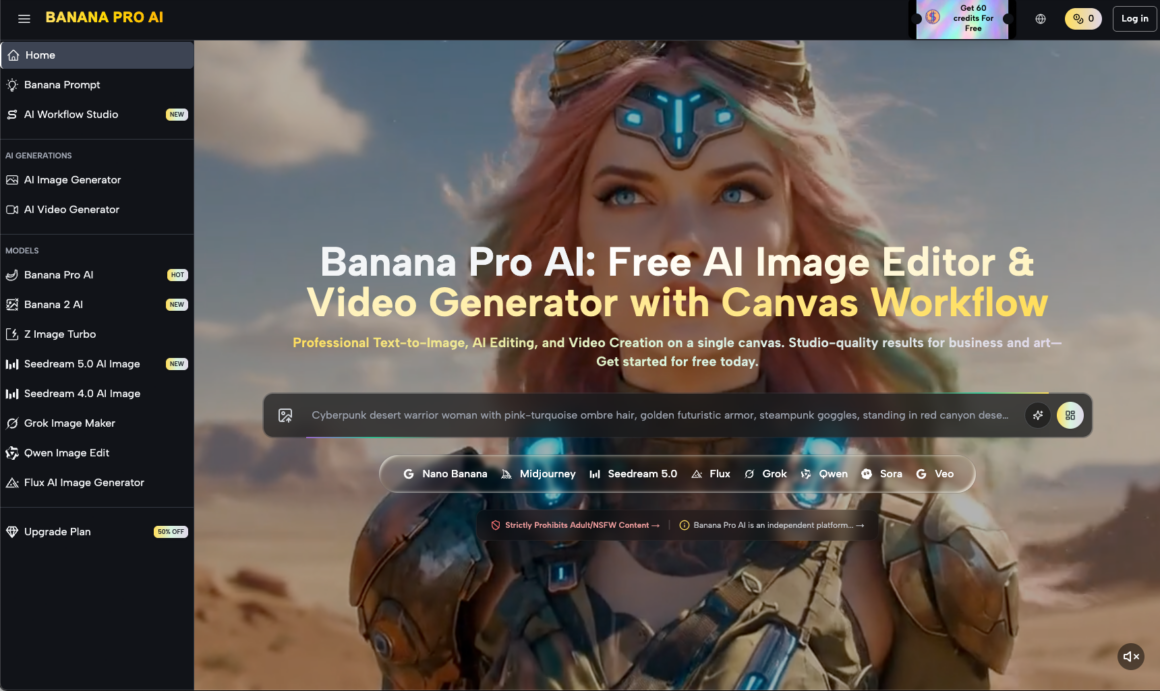
For creative operations leads, the goal isn’t just to generate a “cool” clip; it’s to build a repeatable pipeline where the output meets a specific quality threshold without requiring fifty regenerations. This brings us to the practical application of Nano Banana Pro, a model that attempts to balance the high-compute demands of temporal consistency with the flexibility required for professional-grade motion control.
The Physics of the Latent Space
Traditional cinematography relies on the physical laws of optics. AI cinematography relies on probabilistic guesses within a latent space. When we use Banana Pro to dictate motion, we are essentially negotiating with a series of diffusion steps. The model has to predict not only what the next frame looks like but how every pixel from the previous frame should migrate.
Nano Banana Pro handles this by prioritizing structural anchors. In my testing, the model shows a distinct preference for “grounded” motion. If the camera movement is linear—a simple dolly-in or a horizontal pan—the coherence tax remains manageable. However, we must be realistic: the moment you introduce diagonal movement combined with subject rotation, the probability of “hallucinated” artifacts increases. This isn’t a failure of the tool specifically, but a boundary of the current technology. Even with the advanced architecture of Banana AI, there is a limit to how much spatial data can be retained over a four-to-eight-second window.
Shaping Subject Motion vs. Camera Movement
One of the most frequent mistakes in creative operations is conflating subject motion with camera movement in a single prompt. This is a recipe for visual chaos. Nano Banana Pro operates best when these two vectors are handled with distinct intentionality.
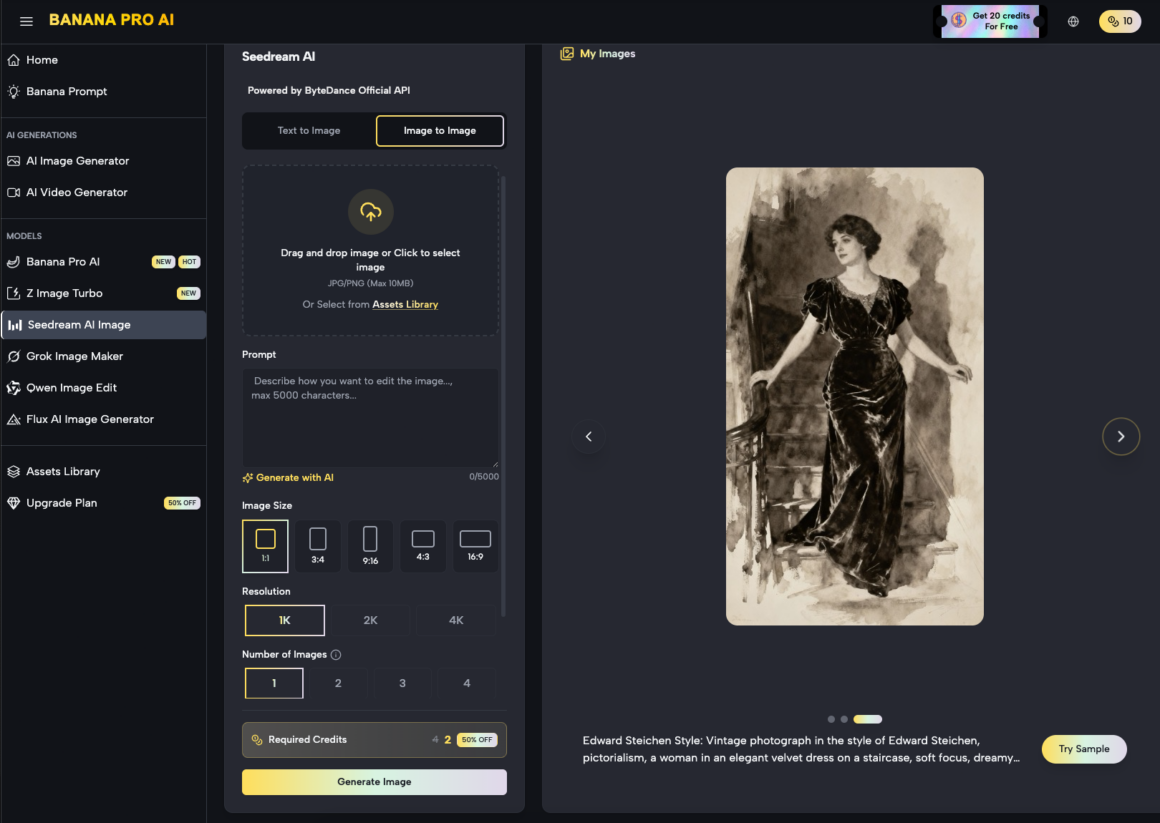
Subject motion—the way a character moves their arms or a car drives down a street—requires the model to understand the “rigging” of the object. If the prompt is too vague, Nano Banana might interpret a walking motion as a sliding motion. To mitigate this, operators are increasingly using the AI Image Editor as a pre-processing step. By generating a high-fidelity “keyframe” first, you provide the video engine with a clear reference for texture and lighting.
A Moment of Limitation: It is important to note that Nano Banana Pro, like its contemporaries, still struggles with high-velocity subject motion that intersects with the camera’s path. If a person runs directly toward the lens while the camera is zooming out, the “limb-blur” effect is nearly inevitable. Operators should plan shots that minimize these high-speed intersections or be prepared for significant post-production cleanup.
The Role of Nano Banana in High-Volume Pipelines
For an agency or a production house, the value of Nano Banana lies in its efficiency. It’s designed to be a “workhorse” model. While more bloated models might offer higher raw resolution at the cost of thirty-minute render times, Nano Banana targets a middle ground where the feedback loop is fast enough for iterative prompting.
When building a repeatable asset pipeline, the workflow usually looks like this:
- Conceptualization: Generating the base aesthetic using the AI Image Editor.
- Seeding: Using that image as the starting frame to lock in character consistency.
- Motion Mapping: Applying specific motion values (pan, tilt, zoom) within the Nano Banana Pro environment.
- Refinement: Upscaling the chosen clips that pass the coherence test.
This modular approach reduces the “slot machine” feel of AI generation. Instead of hoping for a perfect clip, you are building it layer by layer.
Pacing and Temporal Weight
Pacing in AI video is often overlooked. Most generated clips have a “dreamy,” slow-motion quality because the model is trying to maximize the number of frames it can generate without the latent space collapsing. If you try to force a fast-paced, “Bourne Identity” style shaky cam, the pixels simply cannot keep up.
In Nano Banana Pro, the operator can influence pacing by adjusting the “motion strength” or “temporal weight” settings. A lower weight results in a more stable, albeit static, image. A higher weight introduces more dynamic movement but risks “melting” the edges of your subjects.
From a benchmark-driven perspective, we’ve found that the “sweet spot” for Nano Banana is a motion strength of roughly 4 to 6 on a 10-point scale. Anything higher and the background begins to drift independently of the foreground, creating a nauseating parallax error. This is one of those areas where the evidence suggests that “less is more.”
Integrating the AI Image Editor into Video Workflows
Why focus on an image editor in an article about motion? Because the single greatest predictor of a successful video generation is the quality of the seed. The AI Image Editor within the broader ecosystem allows for the surgical adjustment of a base image before it ever hits the video timeline.
If you are generating a clip of a product—say, a watch—you need the branding to be legible. Standard text-to-video often scrambles logos. By using the editor to perfect the logo on a static frame first, and then using Nano Banana to animate the lighting reflections around it, you achieve a level of commercial viability that a raw text-to-video prompt could never reach.
A Moment of Uncertainty: While this “Image-to-Video” workflow is superior for consistency, it does introduce a new problem: the “static start” bias. Sometimes the model is so committed to the initial frame that it takes a full second for the motion to actually begin, resulting in a clip that feels “stuck” for the first twenty-four frames. We are still looking for the perfect “initial motion” prompt that bypasses this without jitter.
Benchmarking Coherence Across Scenarios
To truly evaluate Nano Banana Pro, we have to look at how it performs in different environmental contexts.
1. Interior Architecture
This is where the model excels. Straight lines, fixed lighting, and predictable surfaces allow for smooth “fly-through” shots. The coherence tax here is minimal. You can execute long pans across a digital twin of a kitchen or a retail space with almost no warping.
2. Organic Environments (Nature)
Foliage is the natural enemy of temporal consistency. The thousands of tiny moving parts (leaves, grass, shadows) overwhelm the model’s ability to track every point. When using Nano Banana for nature shots, it is best to stick to wide-angle views where the individual leaf movement is less critical than the overall atmospheric shift.
3. Human Interactions
This remains the most difficult benchmark. If two people shake hands, the model has to figure out whose fingers belong to whom. In our testing, Nano Banana Pro handles single-subject motion well, but multi-subject interaction often leads to “fusion” artifacts. For creative ops leads, the recommendation is clear: stick to solo subjects or wide shots where physical contact is avoided.
Operational Strategy for Creative Leads
If you are tasked with integrating these tools into a team workflow, the focus shouldn’t be on the “wow” factor. It should be on the “fail” factor. You need to know exactly where the tools break so you don’t promise clients shots that aren’t technically possible yet.
Nano Banana provides a robust foundation, but it requires a “human-in-the-loop” to steer the motion. You cannot simply fire-and-forget. The most successful teams are those that treat the AI as a junior cinematographer—one who has an incredible eye for color and texture but needs very specific instructions on where to put the tripod.
Avoid the hype that suggests AI will replace the entire production stack. Instead, look at how Nano Banana Pro can replace the expensive, time-consuming b-roll shoots. It can generate that five-second clip of a car driving through a desert or a drone shot of a futuristic city in minutes, freeing up your budget for the high-stakes, live-action work that requires human nuance.
Final Considerations on Tool-Savvy Creation
The transition from “prompting” to “operating” is the defining shift of the current year. Being an operator means understanding that the AI Image Editor and the video generation engine are parts of a single machine.
When working with Nano Banana, your goal is to minimize the coherence tax by making the model’s job easier. Use high-contrast seeds, avoid overlapping subject/camera paths, and respect the “motion strength” limits. The technology is advancing rapidly, but for now, the most impressive results come from those who understand the mathematics of the pixels as much as the aesthetics of the frame.
The future of production isn’t about finding a tool that has no limitations; it’s about mastering the tool whose limitations you can most effectively navigate. Nano Banana Pro, with its balance of speed and structural integrity, offers a predictable playground for those willing to do the work.